24. CORS
About this chapter
In this chapter, we look at Cross Origin Resource Sharing (CORS), and more specifically how to address it when calling an API from another domain.
Learning outcomes
- Understand what CORS is and why browsers enforce the same-origin policy
- Recognize what constitutes different origins (protocol, domain, port differences)
- Understand that CORS is a server-side configuration only - clients cannot bypass it
- Configure CORS policies in the API to allow specific origins
- Properly order CORS middleware in the request pipeline
Architecture Checkpoint
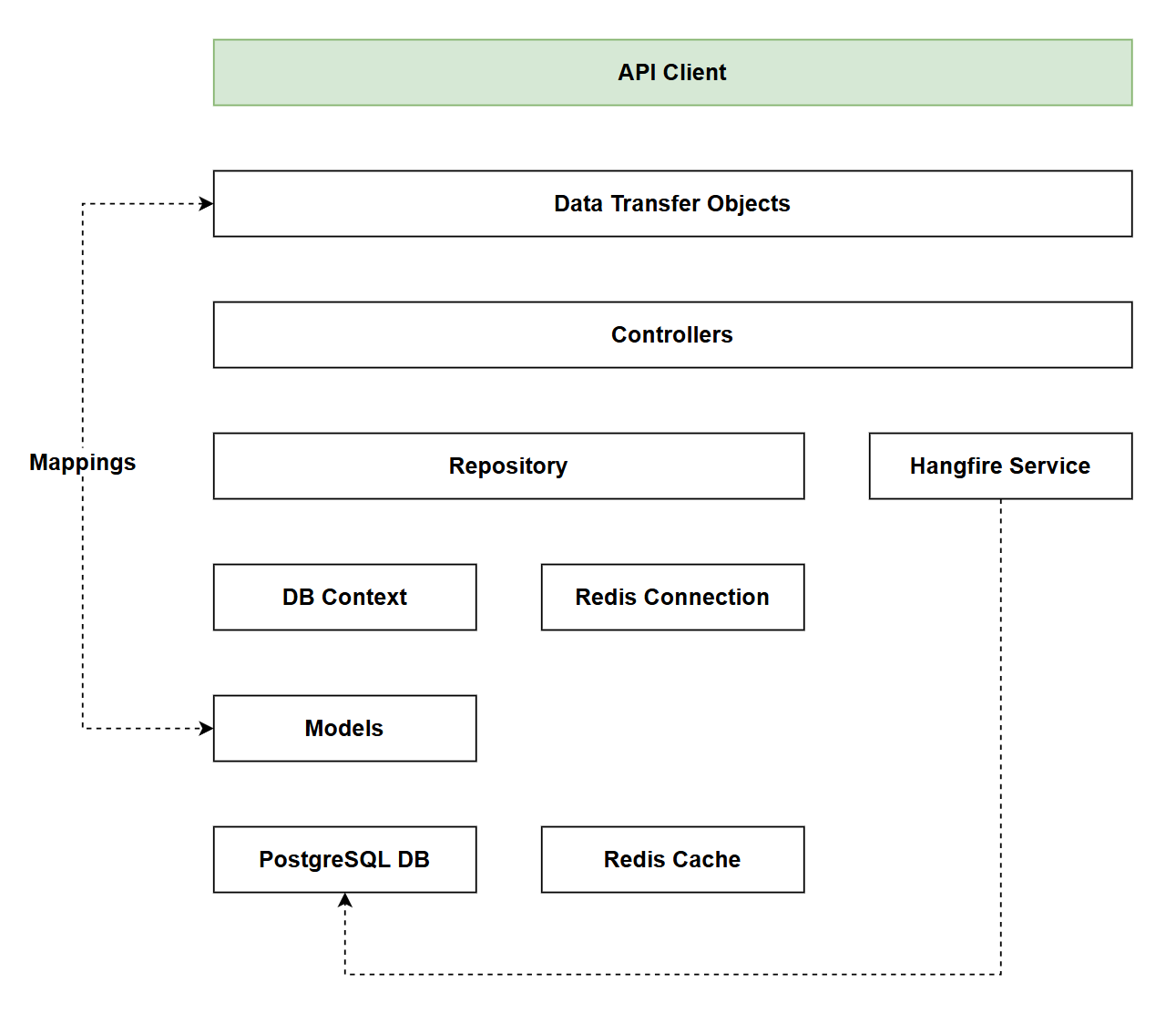
In reference to our solution architecture, we'll be making code changes to the highlighted components in this chapter:
- API Client (complete)
- The code for this section can be found here on GitHub
- The complete finished code can be found here on GitHub
Feature branch
Ensure that main is current, then create a feature branch called: chapter_24_cors, and check it out:
git branch chapter_24_cors
git checkout chapter_24_cors
If you can't remember the full workflow, refer back to Chapter 5
CORS
Cross-Origin Resource Sharing (CORS) is a browser security mechanism that controls how web applications from one domain can access resources from another domain. It's one of the most commonly encountered issues when building modern web applications where the frontend and backend are served from different domains.
The same-origin policy
By default, web browsers enforce the same-origin policy - a critical security feature that prevents scripts running on one website from accessing data on another website. Two URLs have the same origin only if they share the same:
- Protocol (http vs https)
- Domain (example.com vs api.example.com)
- Port (3000 vs 5000)
For example:
http://localhost:3000andhttp://localhost:5000are different origins (different ports)https://example.comandhttp://example.comare different origins (different protocols)https://api.example.comandhttps://example.comare different origins (different subdomains)
Why CORS exists
Without the same-origin policy, malicious websites could make authenticated requests to your banking website using your existing session cookies, potentially stealing sensitive data or performing unauthorized actions. This is known as a Cross-Site Request Forgery (CSRF) attack.
However, legitimate scenarios exist where cross-origin requests are necessary - a JavaScript single-page application (SPA) served from https://myapp.com may need to call an API at https://api.myapp.com. CORS provides a controlled mechanism for servers to explicitly permit such cross-origin requests.
How CORS works
When a browser detects a cross-origin request, it:
- Sends a preflight request (OPTIONS method) to the target server asking for permission
- Checks the server's response headers (
Access-Control-Allow-Origin,Access-Control-Allow-Methods, etc.) - Only proceeds with the actual request if the server explicitly allows it
Important: CORS is a server-side configuration. The API must explicitly allow cross-origin requests from specific domains. There is nothing a client application can do to bypass CORS restrictions - the configuration must happen on the server.
In this chapter, we'll configure our API to accept requests from our JavaScript client running on a different domain using ASP.NET Core's built-in CORS support.
Implementation
External Client
To demonstrate how CORS works, we first need to extract the client that we wrote in Chapter 19 to a separate domain - meaning that it is not hosted on the same domain as the API.
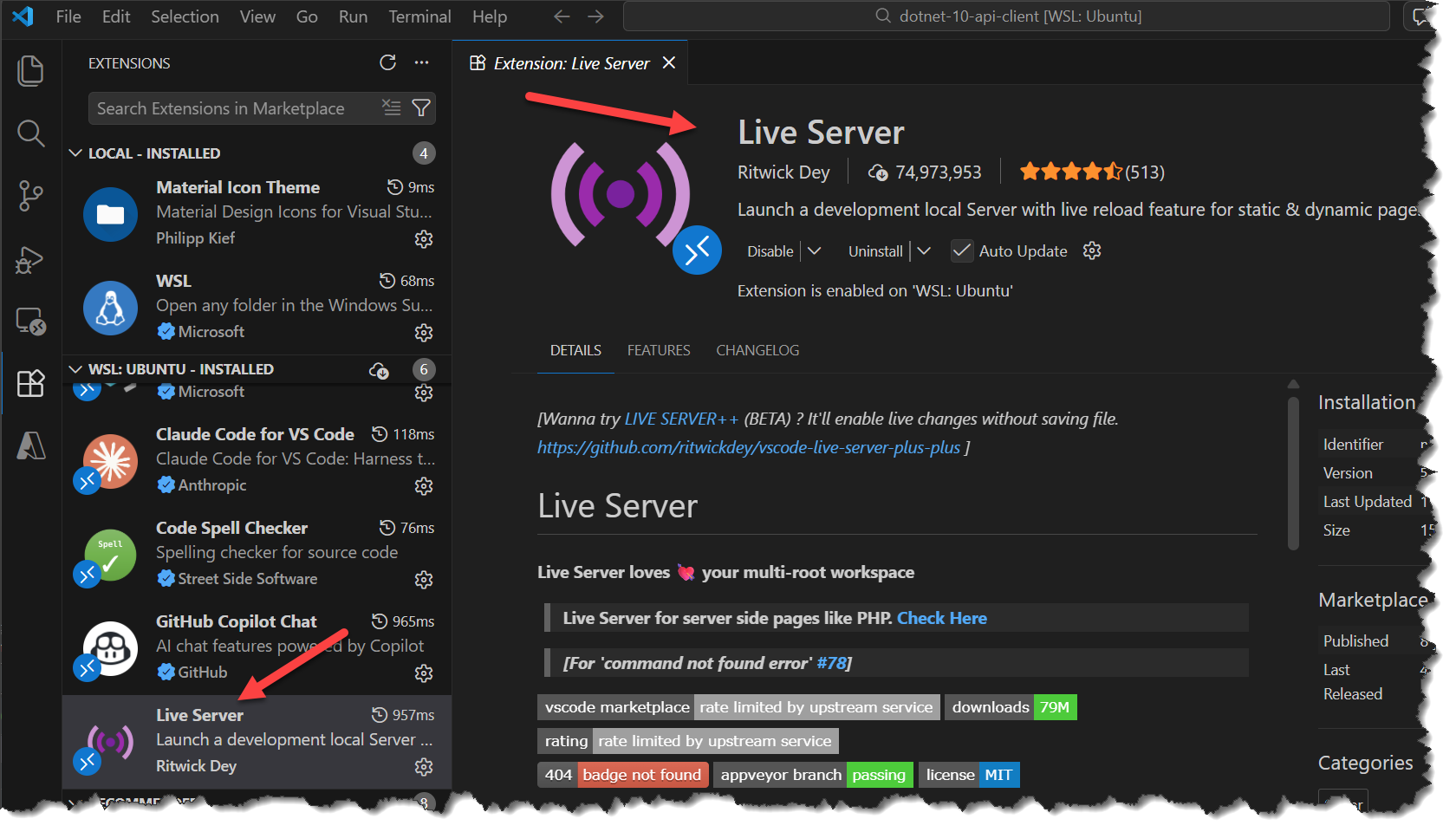
There are a number of ways we can serve our client from a separate domain, I'm going to take a super simple approach and use a VS Code plugin called "Live Server".
Step 1: Create a new "project" directory
Select a suitable location on your file system to create a directory for the external client app, this should be in a separate file location to the API project.
NOTE: the defining aspect of CORS is the domain it is served from, it has nothing to do with where on the file system the project resides. I'm suggesting a separate location from our API project to keep it clean from an organizational perspective only.
mkdir dotnet-10-api-client
Once the directory is created, copy the entire contents of the wwwroot folder in our API project to this new folder location, a directory listing of the new project folder should show the following:
css
index.html
js
Open that folder in VS Code, at a command prompt in the directory location you can type:
code .
Search for and install the "Live Server" VS Code extension (it's by Ritwick Dey and has about 74M downloads):
- Select
index.htmlin the VS Code file navigator - Click "Go Live" in the status bar
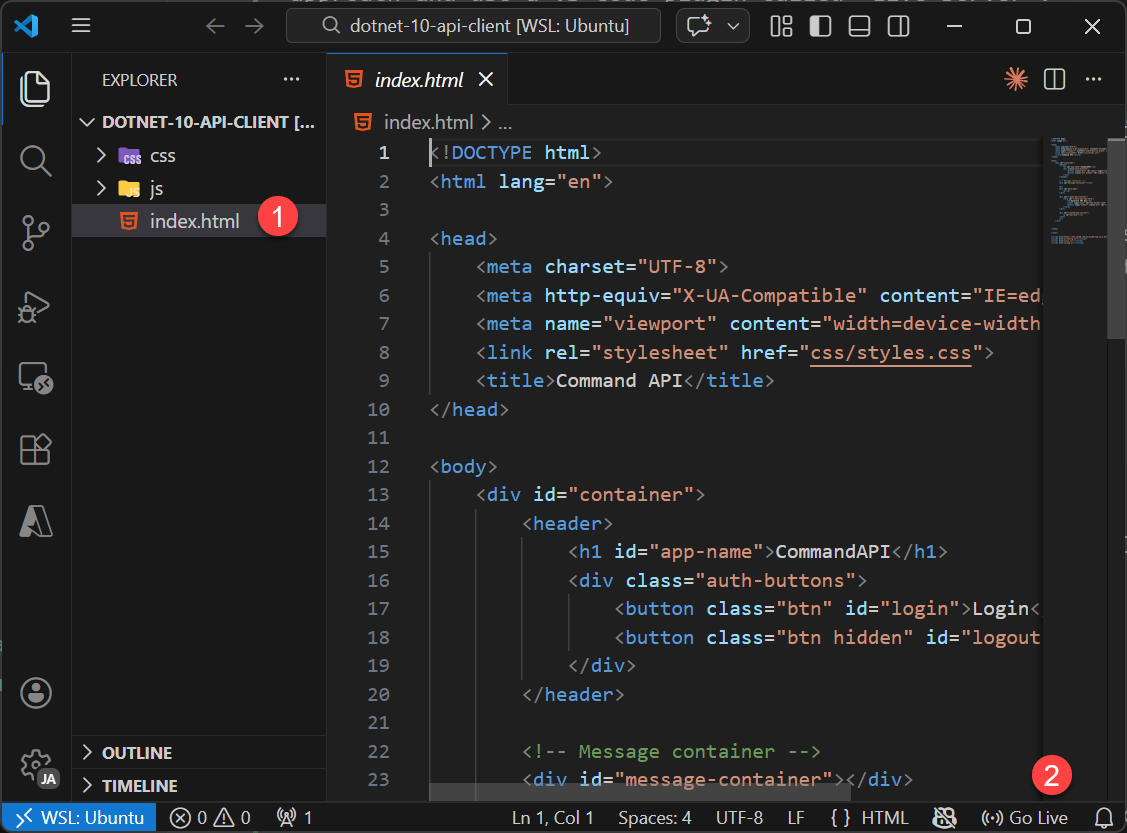
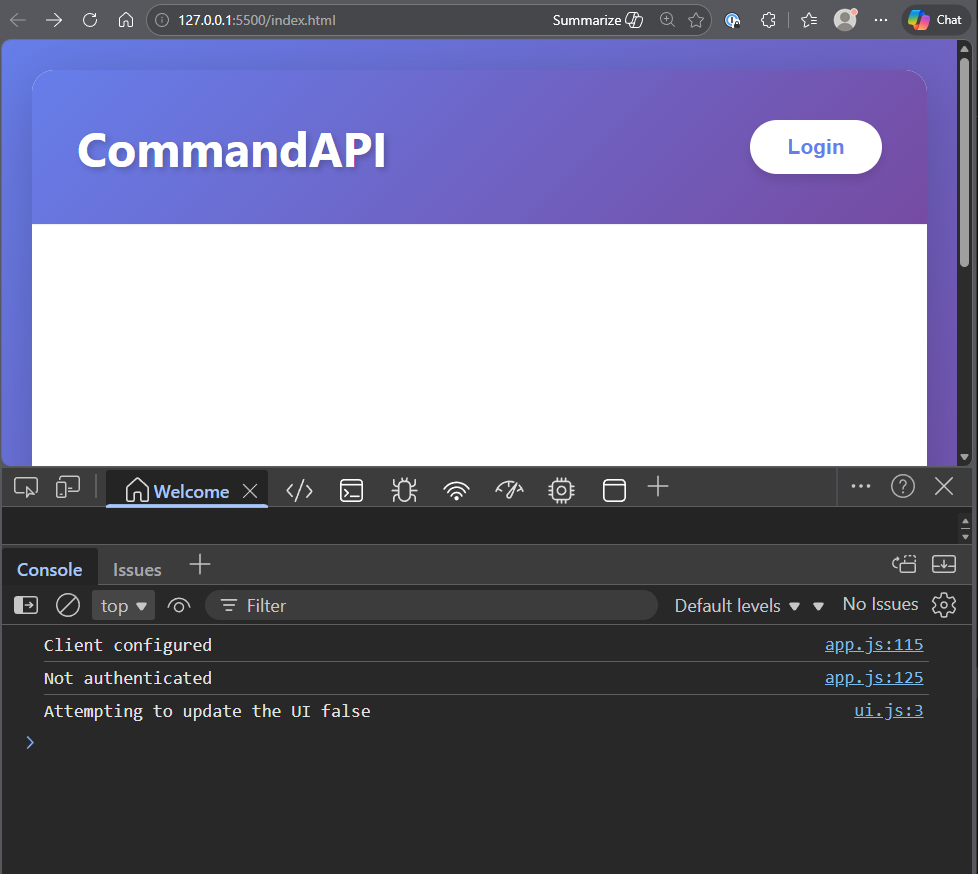
This should open a browser window with the client running on a new domain:
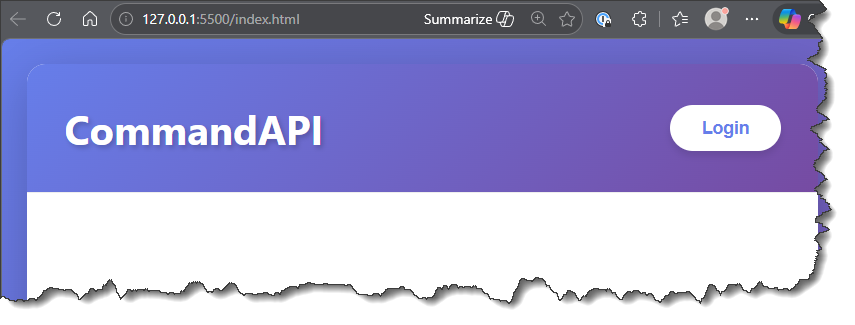
NOTE The client is still running on
localhost/127.0.0.1, however it should be running on a different port (in my case5500) which is enough to qualify it as running on a separate domain to the API.
Open Developer Tools for your browser, I'm using Microsoft Edge so that's: CTRL + SHIFT + I (that's capital i):
Clicking "Login" on the home screen should take us to Auth0 to authenticate:
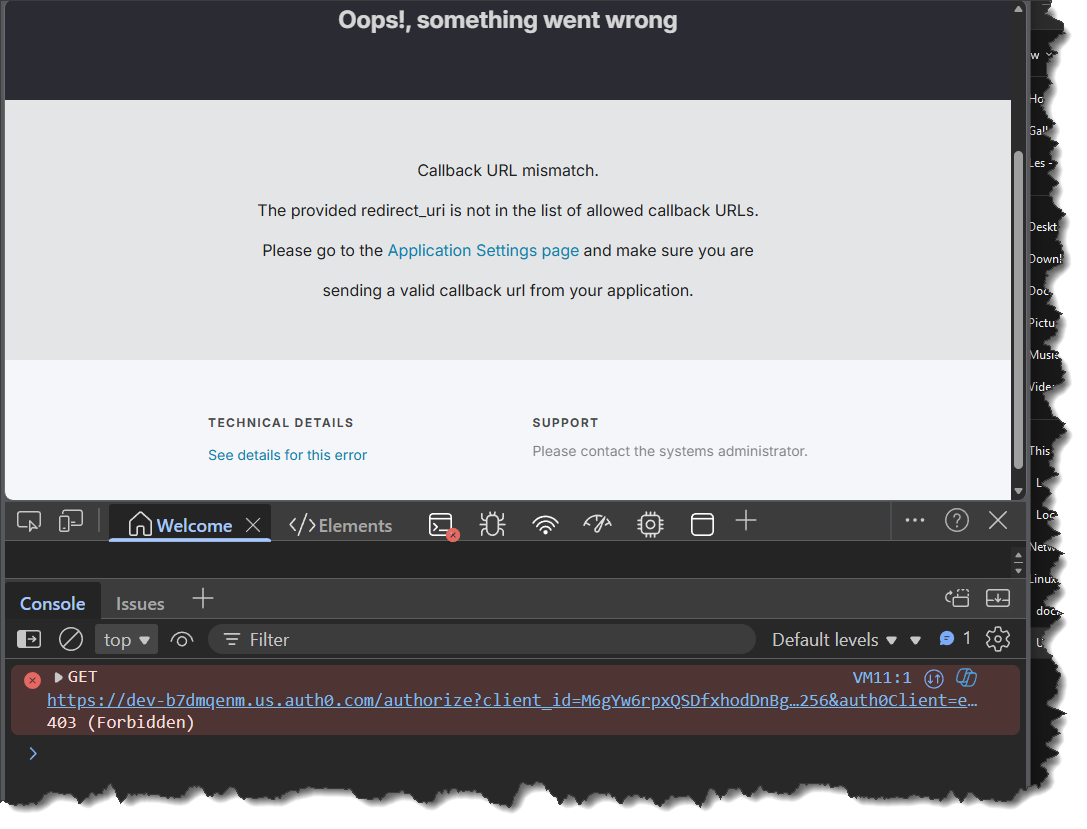
As you can see this will result in an expected Callback URL mismatch which we'll need to fix by logging into Auth0.
NOTE: this is not a CORS issue, but simply the security config required of Auth0.
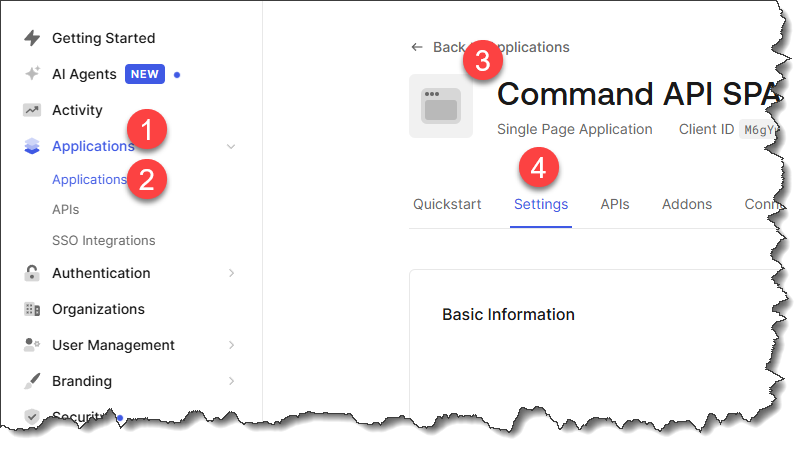
Login to Auth0 and:
- Select Applications
- Select Applications
- Select your client app from the list
- Navigate to the Settings tab
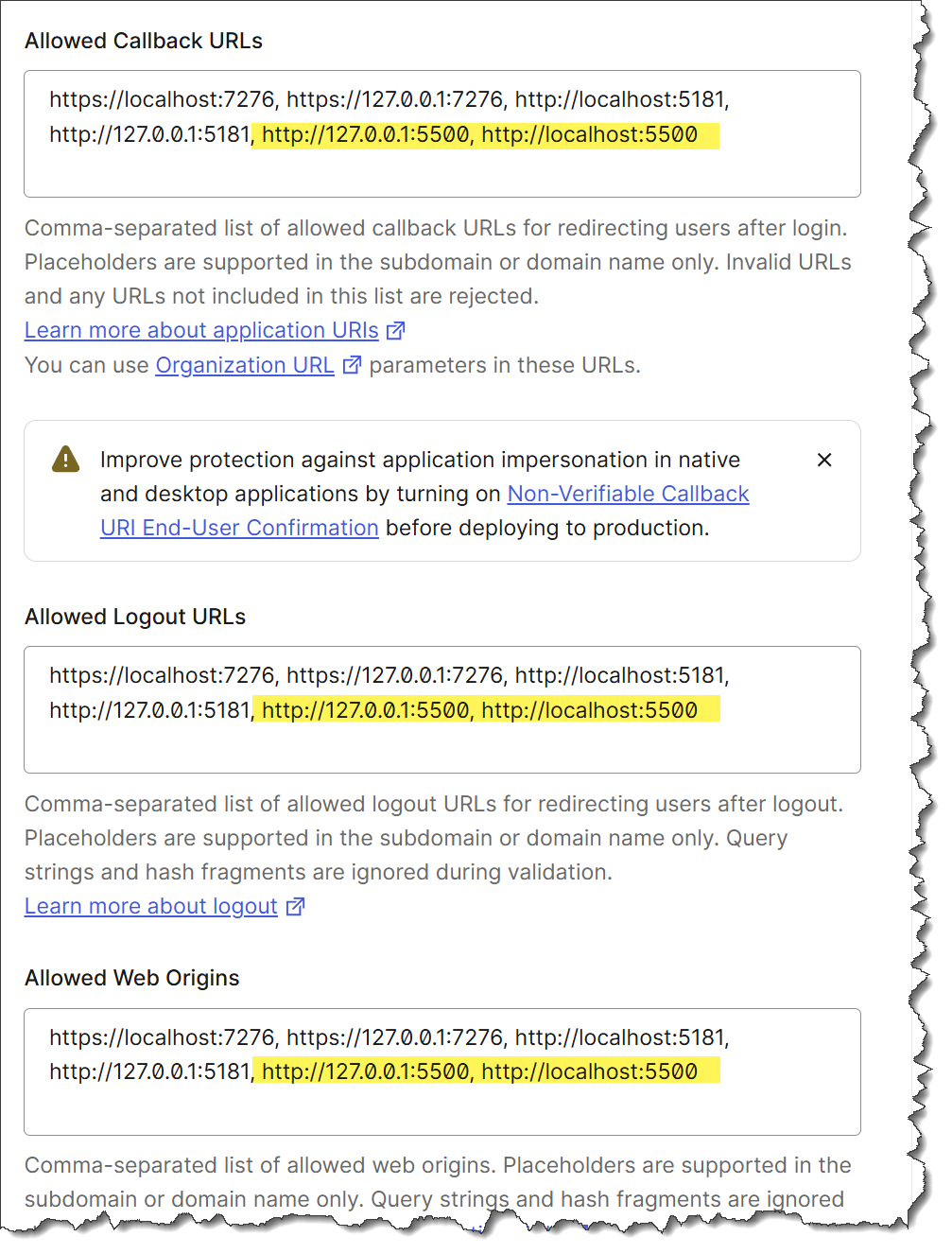
Scroll down and update the following sections with the additional domain details for the external client (in my case that would be: http://127.0.0.1:5500 & http://localhost:5500):
- Allowed Callback URLs
- Allowed Logout URLs
- Allowed Web Origins
For example:
Navigate back to the external index page and login - you should be taken to the Generate API Key view (or may be asked to login again).
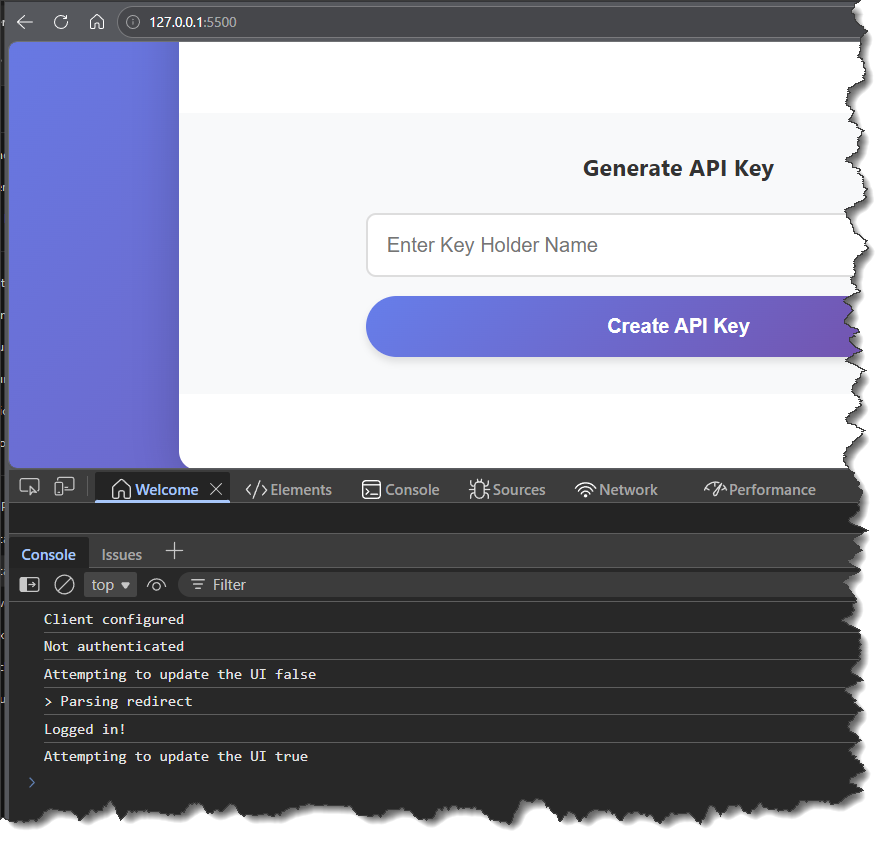
Enter a description for a new API Key and click Create API Key, you should get a CORS Error:
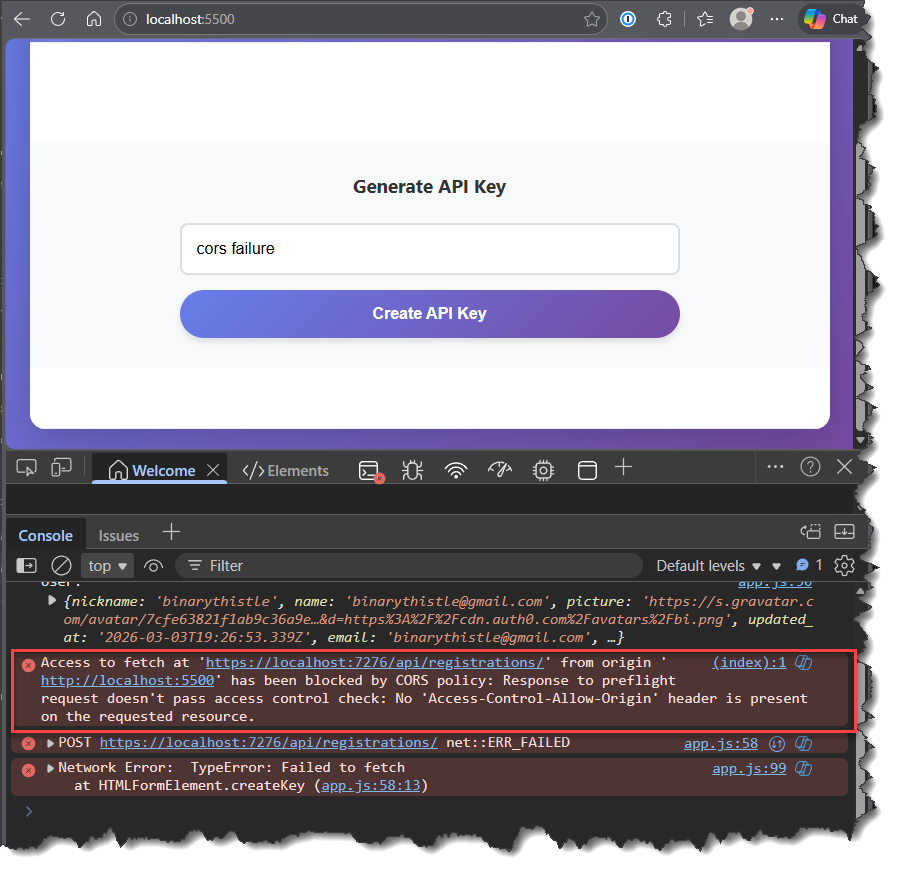
At this point, even though it may not feel like it, we have successfully set up the external client. The work to get over the CORS issue all takes place in the API.
As already mentioned, there is nothing you can do from a client perspective to get round this CORS issue. You cannot "add headers" to your requests that will magically allow the request through, that would be akin to a "Jedi mind trick" - it can't be done. Thinking about it, if it were possible, it would defeat the whole point of having CORS in the first place.
CORS can only be configured in the API layer.
Settings
We are going to add our permitted origins to config so we don't need to hard code them, it also makes it easier if we end up needing to permit further clients. Open appSettings.Development.json and add the following section:
{
  "Serilog": {
    "MinimumLevel": {
      "Default": "Information",
      "Override": {
        "Microsoft.AspNetCore": "Warning",
        "Microsoft.AspNetCore.Hosting.Diagnostics": "Information",
        "CommandAPI.Controllers": "Debug",
        "CommandAPI.Middleware": "Information",
        "CommandAPI.Data": "Debug"
      }
    }
  },
  "ConnectionStrings": {
    "PostgreSqlConnection":"Host=localhost;Port=5432;Database=commandapi;Pooling=true;",
    "RedisConnection": "localhost:6379"
  },
  "Origins": [
    "http://127.0.0.1:5500",
    "http://localhost:5500"
  ]
}
Program.cs
Add the following service registration for our CORS policy:
// .
// .
// .
// Existing code

    .AddHangfire(options =>
    {
        options.MinimumAvailableServers = 1;
        options.MaximumJobsFailed = 5;
    },
    name: "hangfire",
    failureStatus: HealthStatus.Degraded,
    tags: new[] { "jobs", "hangfire" });

var allowedOrigins = builder.Configuration.GetSection("Origins").Get<string[]>()
    ?? new[] { "http://127.0.0.1:5500" }; // Fallback if not configured

builder.Services.AddCors(opt => {
    opt.AddPolicy("JavaScriptClient",
    policyBuilder => {
        policyBuilder.WithOrigins(allowedOrigins)
        .AllowAnyHeader()
        .AllowAnyMethod()
        .AllowCredentials();
    });
});

var app = builder.Build();
// Existing code
// .
// .
// .
This code:
- Reads in the allowed origins from config (with a fallback default)
- Registers CORS services with a named policy "JavaScriptClient"
- Configures the policy to allow requests only from specified origins
- Permits any HTTP header and method (GET, POST, PUT, DELETE, etc.)
- Enables credentials (required for Auth0 tokens and API keys in headers)
Then add CORS to the pipeline, making sure it comes before Authentication & Authorization and Response Caching:
// .
// .
// .
// Existing code

if (app.Environment.IsDevelopment())
{
    app.MapOpenApi();
    app.UseHangfireDashboard();
}

app.UseCors("JavaScriptClient");

app.UseResponseCaching();

// Existing code
// .
// .
// .
Save everything and restart the API so that our changes take effect.
Exercising
You can re-run the API Key registration request from the external client, only this time you will get a successful result.
Version Control
With the code complete, it's time to commit our code. A summary of those steps can be found below, for a more detailed overview refer to Chapter 5
- Save all files
git add .git commit -m "manage cors requests"git push(will fail - copy suggestion)git push --set-upstream origin chapter_24_cors- Move to GitHub and complete the PR process through to merging
- Back at a command prompt:
git checkout main git pull
Conclusion
In this chapter, we've addressed one of the most common issues encountered when building modern web applications: Cross-Origin Resource Sharing (CORS). By configuring our API to accept requests from external domains, we've enabled our JavaScript client to communicate with the API even when served from a different origin.
The most important concept reinforced in this chapter is that CORS is a server-side configuration only. No amount of client-side code, headers, or workarounds can bypass CORS restrictions - if it were possible, it would defeat the entire security purpose of CORS. The API must explicitly grant permission for cross-origin requests.
With CORS properly configured, our API can now serve multiple client applications across different domains while maintaining security and control over who can access our resources.