17. Serilog
About this chapter
In this chapter we enhance the logging infrastructure of the API by introducing Serilog.
Learning outcomes
- Understand what Serilog is, and what it offers over standard .NET Logging
- Understand how to implement Serilog in a .NET API
Architecture Checkpoint
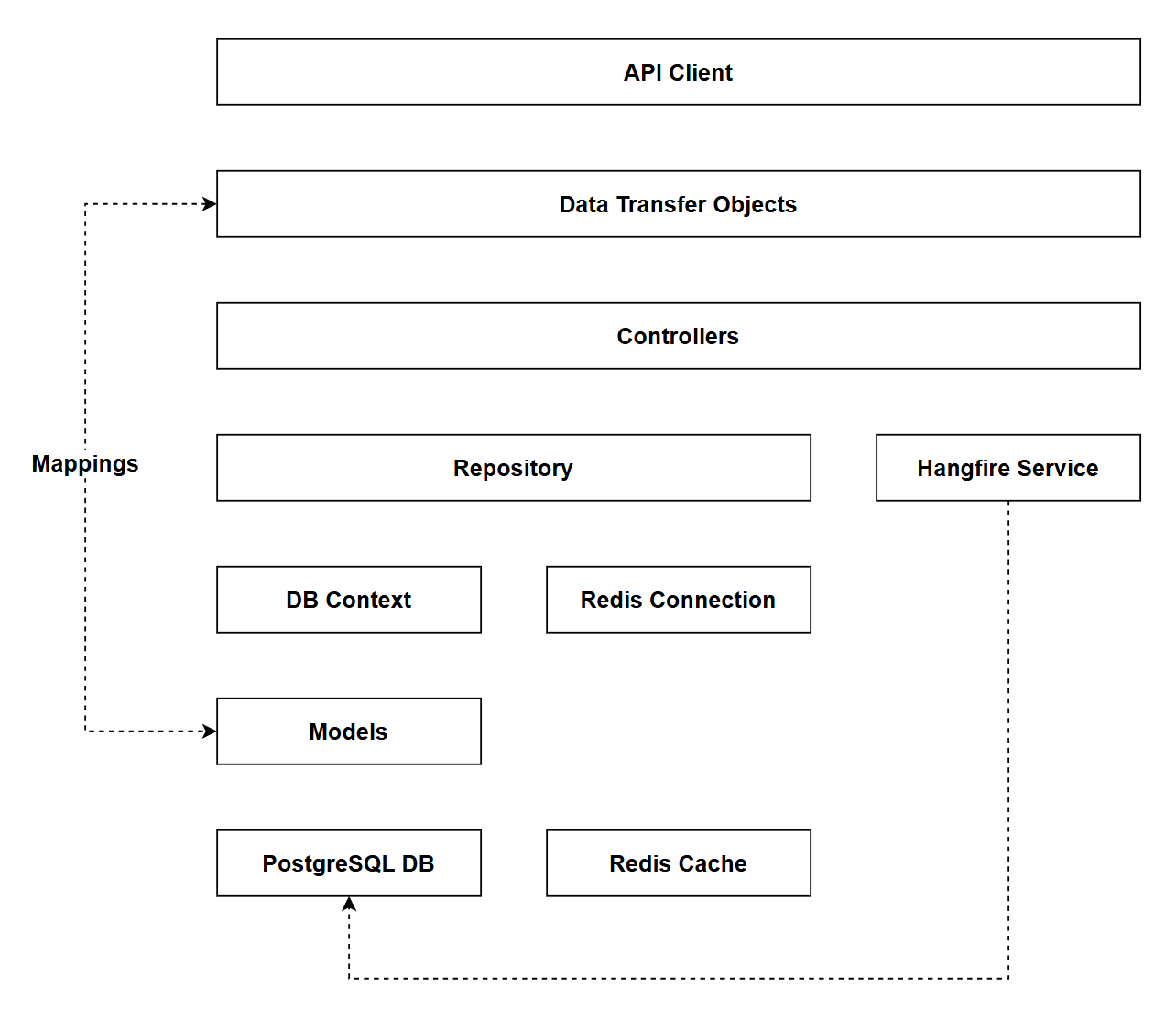
In reference to our solution architecture, there are no changes to our architectural components (actually a benefit of using Serilog). Changes do occur in the following areas though:
Program.csappSettings*files
- The code for this section can be found here on GitHub
- The complete finished code can be found here on GitHub
Feature branch
Ensure that main is current, then create a feature branch called: chapter_17_serilog, and check it out:
git branch chapter_17_serilog
git checkout chapter_17_serilog
If you can't remember the full workflow, refer back to Chapter 5
What is Serilog?
Serilog is a popular third-party structured logging library for .NET that acts as a provider for the ILogger interface. While .NET's built-in logging is functional, it has limitations - most notably, it doesn't natively support writing logs to files, which we mentioned in the previous chapter.
Why choose Serilog?
Serilog offers several advantages over the standard .NET logging implementation:
- File logging out-of-the-box: Built-in file sink with features like rolling logs and retention policies.
- Better structured log output: While
ILoggersupports structured logging, Serilog can output structured data in formats like JSON, making logs easier to query and analyze. - Unified ecosystem of sinks: Extensive, purpose-built collection of output destinations (console, files, databases, cloud services) that work together consistently, rather than relying on disparate third-party providers.
- Rich enrichers: Add contextual metadata (machine name, environment, user info) to all log events automatically.
- Configuration-driven: Most settings can be controlled through
appsettings.jsonwithout code changes.
Key terminology
Before implementing Serilog, it's helpful to understand two core concepts:
Sinks are output destinations where log events are written. Think of them as the where of logging. Each sink represents a different target:
- Console: Outputs to the terminal
- File: Writes to log files
- Database: Store logs in SQL Server, PostgreSQL, etc.
- Cloud: Send logs to services like Azure Application Insights or AWS CloudWatch
You can configure multiple sinks simultaneously, so logs can be written to both the console and files at the same time.
Enrichers add contextual information (metadata) to every log event. They answer the who & what questions about your logs:
- Machine name: Which server generated the log
- Environment: Was it Development, Production, etc.
- Thread ID: Which thread was executing
- User information: Who was logged in (if available)
This enriched data becomes part of the structured log event, making it easier to filter and search logs later.
Implementing Serilog
Package references
We need to add the packages that support Serilog so execute the following dotnet package add commands:
dotnet add package Serilog.AspNetCore
dotnet add package Serilog.Enrichers.Environment
dotnet add package Serilog.Enrichers.Thread
dotnet add package Serilog.Sinks.Console
dotnet add package Serilog.Sinks.File
These packages include the following functionality:
Serilog.AspNetCore: Serilog support for ASP.NET Core loggingSerilog.Enrichers.Environment: Enrich Serilog log events with properties from System.Environment.Serilog.Enrichers.Thread: Enrich Serilog events with properties from the current thread.Serilog.Sinks.Console: A Serilog sink that writes log events to the console/terminal.Serilog.Sinks.File: Write Serilog events to text files in plain or JSON format.
Update Program.cs
Open Program.cs and include the following using statement:
using Serilog;
Then add the following (highlighted) registration code to the host builder:
// .
// .
// .
// Existing code

var builder = WebApplication.CreateBuilder(args);

builder.Host.UseSerilog((context, configuration) =>
    configuration
        .ReadFrom.Configuration(context.Configuration)
        .Enrich.FromLogContext()
        .Enrich.WithMachineName()
        .Enrich.WithEnvironmentName()
        .Enrich.WithThreadId()
        .WriteTo.Console(
            outputTemplate: "[{Timestamp:HH:mm:ss} {Level:u3}] {Message:lj} {Properties:j}{NewLine}{Exception}")
        .WriteTo.File(
            path: "logs/app-.log",
            rollingInterval: RollingInterval.Day,
            outputTemplate: "{Timestamp:yyyy-MM-dd HH:mm:ss.fff zzz} [{Level:u3}] {Message:lj} {Properties:j}{NewLine}{Exception}",
            retainedFileCountLimit: 30));

var connectionString = new NpgsqlConnectionStringBuilder
{
  ConnectionString = builder.Configuration.GetConnectionString("PostgreSqlConnection"),
  Username = builder.Configuration["DbUserId"],
  Password = builder.Configuration["DbPassword"]
};

// Existing code
// .
// .
// .
This code:
- Registers Serilog as the logging provider using
UseSerilog(), replacing the default .NET logger (Serilog is essentially a provider implementation forILogger) - Reads configuration from
appsettings.jsonviaReadFrom.Configuration() - Enriches logs with contextual metadata:
FromLogContext()- Properties from the current logging contextWithMachineName()- Server/machine nameWithEnvironmentName()- Environment (Development, Production, etc.)WithThreadId()- Thread ID that generated the log
- Console Sink - Writes logs to the console with a simple format showing timestamp, level, message, and properties
- File Sink - Writes logs to the
logs/directory:- Creates a new log file daily with date appended to filename
- Uses detailed timestamp format with timezone
- Retains last 30 days of log files automatically
Then add Serilog to the middleware, noting its placement is directly after the GlobalMiddleware:
// .
// .
// .
// Existing code

// Global exception handling middleware (must be first)
app.UseMiddleware<GlobalExceptionHandlerMiddleware>();

// Serilog request logging
app.UseSerilogRequestLogging();

if (app.Environment.IsDevelopment())
{
    app.MapOpenApi();
}

// Existing code
// .
// .
// .
App settings
We then need to update both our current appSettings* files to reflect the use of Serilog:
appSettings.json
{
  "Serilog": {
    "Using": [ "Serilog.Sinks.Console", "Serilog.Sinks.File" ],
    "MinimumLevel": {
      "Default": "Warning",
      "Override": {
        "Microsoft.AspNetCore": "Warning",
        "CommandAPI.Controllers": "Warning",
        "CommandAPI.Middleware": "Error"
      }
    },
    "WriteTo": [
      {
        "Name": "Console"
      },
      {
        "Name": "File",
        "Args": {
          "path": "logs/app-.log",
          "rollingInterval": "Day",
          "retainedFileCountLimit": 30
        }
      }
    ],
    "Enrich": [ "FromLogContext", "WithMachineName", "WithEnvironmentName", "WithThreadId" ]
  },
  "AllowedHosts": "*"
}
This config:
- Using - Declares which Serilog sink packages are available for use
- MinimumLevel - Controls which log events are captured:
Default: Warning- Only Warning and above are logged by default (same as before)Override- Namespace-specific log levels (same as before)
- WriteTo - Defines the sinks (output destinations):
- Console sink - Outputs logs to the console
- File sink - Writes to
logs/app-.logwith daily file rotation and 30-day retention
- Enrich - Adds contextual metadata to each log event (machine name, environment, thread ID, log context)
appSettings.Development.json
{
  "Serilog": {
    "MinimumLevel": {
      "Default": "Information",
      "Override": {
        "Microsoft.AspNetCore": "Warning",
        "Microsoft.AspNetCore.Hosting.Diagnostics": "Information",
        "CommandAPI.Controllers": "Debug",
        "CommandAPI.Middleware": "Information"
      }
    }
  },
  "ConnectionStrings": {
    "PostgreSqlConnection":"Host=localhost;Port=5432;Database=commandapi;Pooling=true;"
  }
}
This config just sets the more verbose log levels for Development, these are the same as before.
.gitignore
As we are now writing out log files, we need to ensure that these are not committed to Git, with this in mind we should check that there is an entry in .gitignore to account for this as follows:
# Build results
[Dd]ebug/
[Dd]ebugPublic/
[Rr]elease/
[Rr]eleases/
x64/
x86/
[Ww][Ii][Nn]32/
[Aa][Rr][Mm]/
[Aa][Rr][Mm]64/
bld/
[Bb]in/
[Oo]bj/
[Ll]og/
[Ll]ogs/
We do not need to update the use of ILogger in the controller or middleware code (or anywhere that logging would be used.) ILogger still remains the way to trigger logging output, it's just that now we are using Serilog as the provider.
Exercising Serilog
Make sure you save everything, and run up the app. Serilog now replaces the standard .NET Logging output so the renderings in your console should look a little different:
[09:05:26 INF] Now listening on: https://localhost:7276
[09:05:26 INF] Now listening on: https://localhost:7276 {"EventId": {"Id": 14, "Name": "ListeningOnAddress"}, "SourceContext": "Microsoft.Hosting.Lifetime", "MachineName": "devkit", "EnvironmentName": "Development", "ThreadId": 1}
[09:05:26 INF] Now listening on: http://localhost:5181
[09:05:26 INF] Now listening on: http://localhost:5181 {"EventId": {"Id": 14, "Name": "ListeningOnAddress"}, "SourceContext": "Microsoft.Hosting.Lifetime", "MachineName": "devkit", "EnvironmentName": "Development", "ThreadId": 1}
[09:05:26 INF] Application started. Press Ctrl+C to shut down.
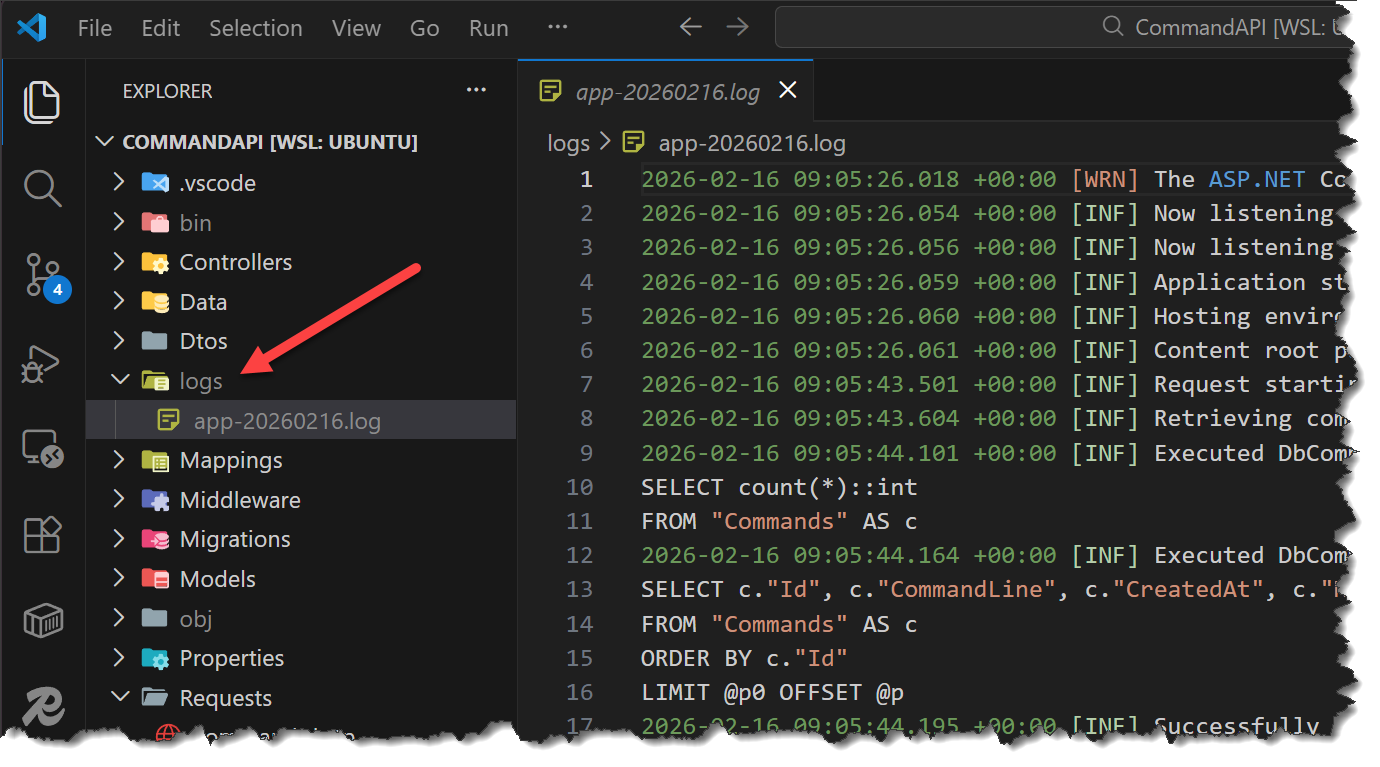
As we are logging to file now you should see the inclusion of a logs folder in the root of your project, along with logs for each day:
Version Control
With the code complete, it's time to commit our code. A summary of those steps can be found below, for a more detailed overview refer to Chapter 5
- Save all files
git add .git commit -m "add Serilog"git push(will fail - copy suggestion)git push --set-upstream origin chapter_17_serilog- Move to GitHub and complete the PR process through to merging
- Back at a command prompt:
git checkout main git pull
Conclusion
In this chapter, we enhanced our logging infrastructure by integrating Serilog as our ILogger provider. This upgrade gave us several immediate benefits without requiring changes to any existing logging code.
Most importantly, we now have file logging with built-in features like daily rolling logs and automatic retention policies - something that wasn't available with .NET's default logging. We can easily monitor both console and file outputs simultaneously, with the file logs persisting for troubleshooting and auditing purposes.
We also learned about Serilog's core concepts: sinks (output destinations) and enrichers (contextual metadata) - which provide an extensible logging framework. Every log event is now automatically enriched with machine name, environment, and thread information, making it much easier to diagnose issues in production environments.
Perhaps the biggest advantage is that all of this configuration is driven through our appsettings.json files. We can adjust log levels, add new sinks, or modify enrichers without touching code, and our existing ILogger implementations in controllers and middleware continue to work exactly as before.
With Serilog in place, we now have a production-ready logging foundation that can scale with our application's needs and easily integrate with centralized logging systems and monitoring tools as our requirements grow.